Deposits and payments · Add-on
Deposits without cheques. Or commission.
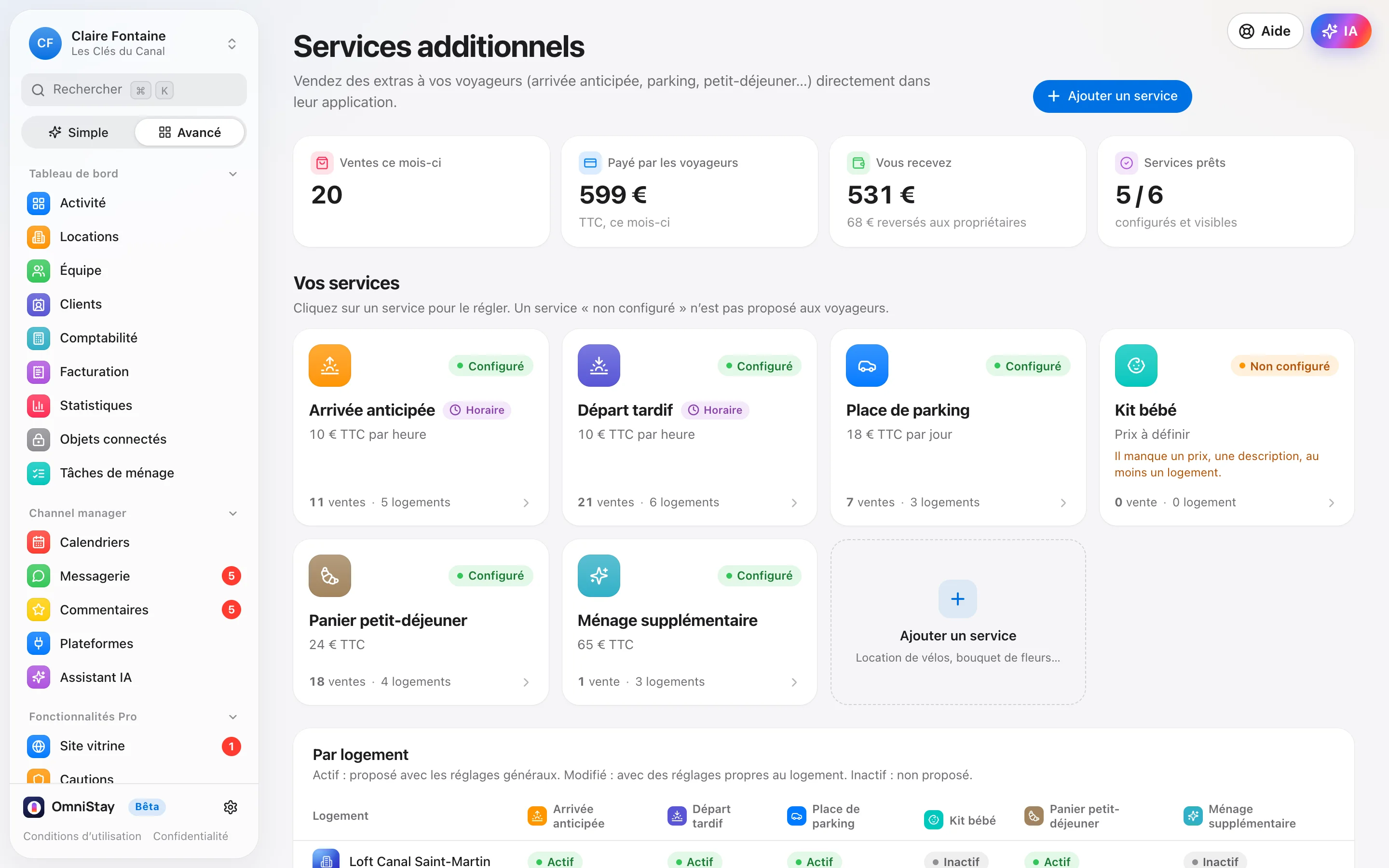
With the Payments add-on, OmniStay handles every guest’s card hold, from the link to the release. The deposit is held on the property owner’s Stripe account, never on the property manager’s: no commission, only Stripe’s usual fees.
What OmniStay does
Get paid, without chasing.
-
It follows the stay
Stay moved, shortened or cancelled: the deposit follows. A hold that expires is renewed before release, without asking the guest for anything.
-
The owner’s Stripe account
Each owner connects their Stripe account from their OmniStay space by pasting a key: the deposit and the nights booked direct are paid into it. The property manager connects their own for extras. The money never goes through OmniStay: no commission, only Stripe’s fees (1.5% + €0.25 per European card).
-
Extras
Early check-in, late checkout in 30-minute slots, breakfast…: the guest orders and pays from their app, with a numbered invoice.
-
Deposit and balance
A stay booked directly is paid by card: in one go, or a deposit then the balance on the chosen date, charged automatically to the same card if the guest agrees. A declined or late payment gets an automatic reminder, then OmniStay lets you know.
-
Damage and disputes
Damage? Open a file: OmniStay knows each platform’s deadlines (14 days after checkout on Airbnb, Booking.com and Vrbo), reminds you before the deadline and attaches the cleaning photos. You withhold from the deposit with one tap.
-
Refunds
A refund goes back to the guest’s card, with a numbered credit note for an extra.
Add-on to add in one click in the app, once you’ve subscribed, with no commitment.
In practice
The deposit, from link to release.
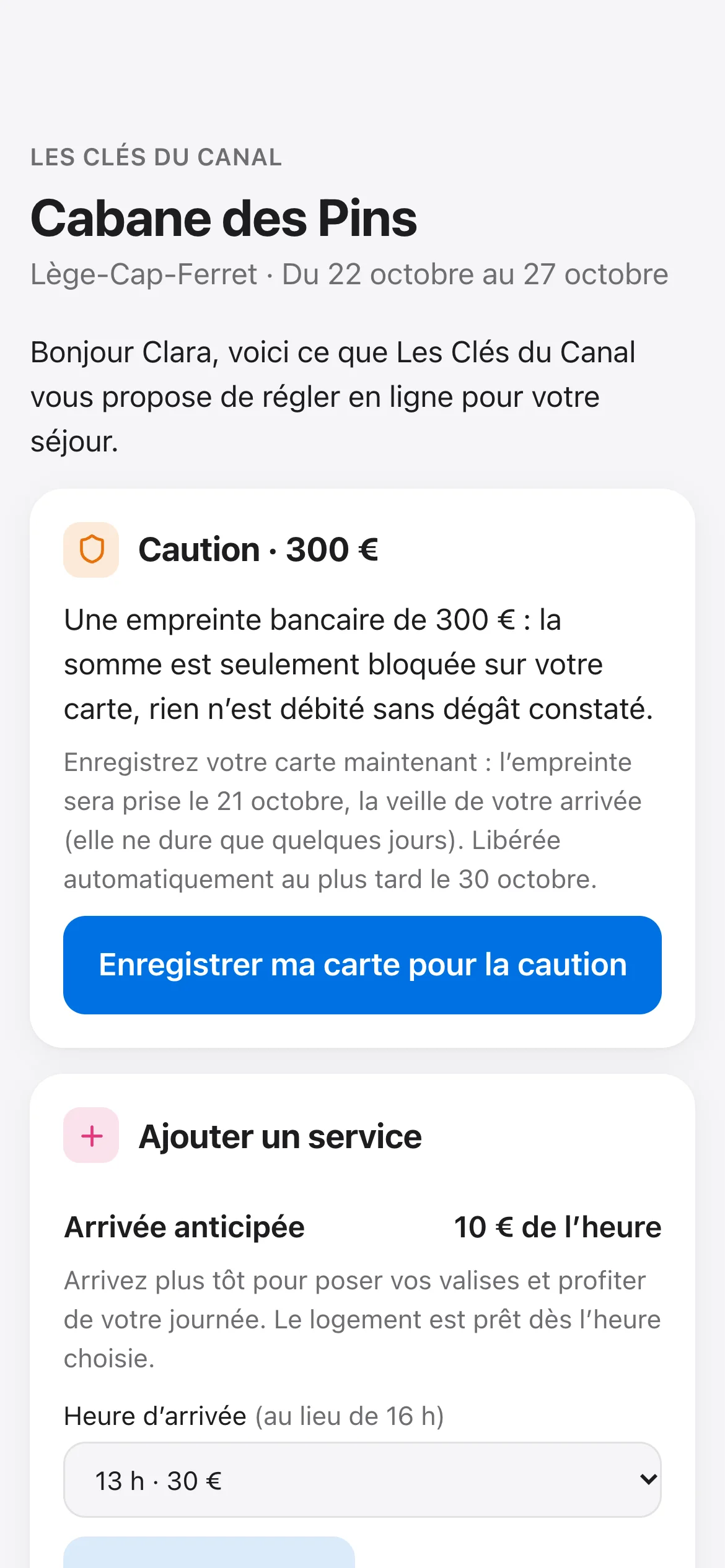
- 1The link goes out on its own, in the welcome message and the guest app.
- 2The guest enters their card on Stripe’s secure page: you never see a card number.
- 3The hold is placed the day before check-in, without charging the card.
- 4It releases itself after checkout. Damage? You charge it in one tap.
FAQ
Deposits and payments: your questions.
Is the deposit charged?
No: it’s a card hold. The amount is reserved on the card, then released automatically after checkout, at the latest on the planned date. You only charge it if damage justifies it, in full or in part, with a reason.
Who sees the card numbers?
Nobody on your side or at OmniStay: the guest enters their card on Stripe’s secure page.
Do I need a Stripe account?
Yes, the owner’s: the deposit and the nights booked direct are paid into their Stripe account, which they connect in a few steps from their OmniStay space. The property manager never collects the deposit or the nights; they connect their own account for extras. A host connects their own for everything.
To go further: our guide Security deposits by card hold.
And also
OmniStay’s other features.
Everything is in the same software, at €9.90 per listing per month. See the features from A to Z.
- Calendar and channel manager One calendar, synced in real time with the booking platforms. Explore
- Messages and reviews Messages that send themselves, in the guest’s language, and a single inbox. Explore
- AI assistantAdd-on It replies in the guest’s language, topic by topic, within the limits you set. Explore
- Cleaning and team Cleanings are created at every checkout and go straight to your team’s phones. Explore
- Owners and monthly invoices A portal for each owner, and their monthly invoices ready on the 1st. Explore
- Guest app and pre-check-in The welcome book, the code at the right time and pre-check-in, in one link. Explore
- Invoices and Factur-X Invoices, deposit invoices and credit notes in Factur-X, and the entries for your accountant. Explore